You see the plan before cleanup starts.
Every supported category is shown for review. Nothing is removed until you confirm it.
01A free PC cleaner for temporary files, startup apps and disk space. Review what SwipyClean finds, then decide what to clean.
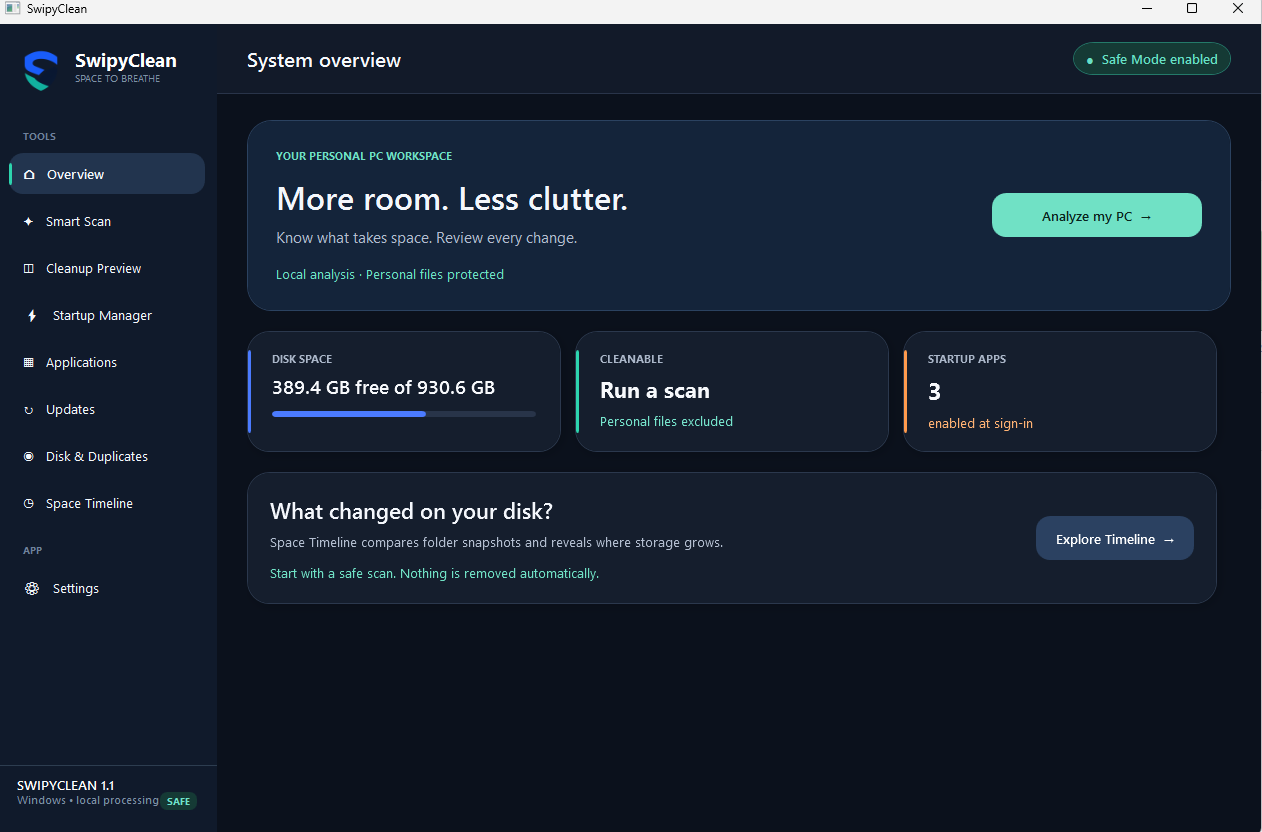
Features may vary by installed version. Storage figures are specific to the PC shown, not a promise of recovered space.
“Cleaning software should explain itself.”
SwipyClean is built around a simple rule: analysis first, action second.
No scare tactics. No mystery score. No silent deletion.
Built for people who want a cleaner computer without handing control to a black box.
Every supported category is shown for review. Nothing is removed until you confirm it.
01Your file list and scan results stay on your Windows device.
02Clear findings instead of alarming warnings or invented performance scores.
03Storage, startup apps, installed software and duplicates in one focused utility.
04Run SwipyClean when you need it. No account and no required cloud service.
05Review the problem before making changes.
Temporary files, application caches and startup impact in one pass.
Choose exactly which supported locations SwipyClean may inspect.
See what starts with Windows before disabling anything.
Explore storage and compare files with size and SHA-256 metadata.
Downloads and personal documents are excluded from automatic cleanup.
Passwords, bookmarks and active sign-in sessions are not cleaning targets.
Review supported categories and confirm before removal begins.
Analysis and settings remain local. Optional diagnostics stay off by default.
What to know before installing SwipyClean, a local-first PC cleaner for Windows 10 and Windows 11.
Yes. SwipyClean is free to install from Microsoft Store and supports Windows 10 and Windows 11 desktop PCs.
It reviews supported temporary-file locations and application caches. You see the detected categories and confirm before anything is removed.
Personal documents and Downloads are excluded from automatic cleanup. SwipyClean is designed to analyze first and wait for your approval.
No. File analysis, scan results and settings stay on your device. Optional diagnostics are off by default.
Yes. In folders you select, SwipyClean compares file size and SHA-256 metadata to identify possible duplicates for your review.
Results depend on your PC. Cleaning can recover removable disk space, and reviewing startup apps can reduce unnecessary launches. It does not add RAM, repair hardware or guarantee a speed increase.
Not sure whether you need a cleaner? Check what Windows can do first, then decide.
Find what is taking up space, review temporary files and avoid deleting things you need.
Read the disk cleanup guideReview apps that launch at sign-in, make reversible changes and keep essential tools enabled.
Read the startup guideSwipyClean is free to use. If it saves you time, you can leave a voluntary tip to support testing, fixes and future improvements. No features are locked behind a contribution.

Free to install from Microsoft Store. Windows 11 and Windows 10, x64. No SwipyClean account required.